Add answer space to past papers and exam PDFs
Many past papers, topic booklets and question compilations come as questions only. The answer lines that were on the original exam paper are gone, and students end up working on scrap paper or cramming an answer into a two-centimetre gap. PDFSpacer inserts answer space directly under each question and pushes the rest of the paper down, so the printed sheet works like the real exam.
It is free, needs no account, and the PDF never leaves your computer.
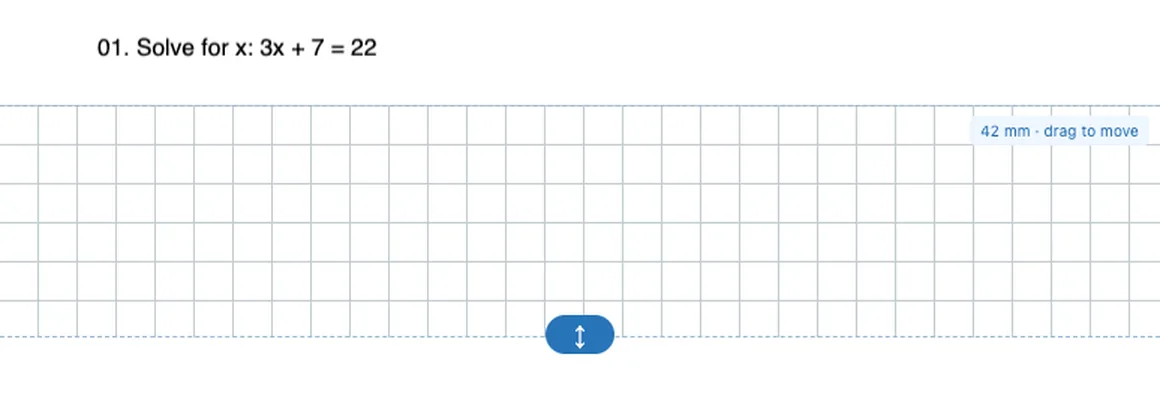
How to add answer space to a past paper
- Open the paper. Go to PDFSpacer and choose the PDF. Scanned papers and photocopies work as well as text PDFs.
- Click under the first question. With Add space selected, click in the gap between the end of the question and the start of the next one. A spacer appears and everything below moves down.
- Choose the paper style and size. Pick Squared for calculations, Ruled for written answers or Plain for sketches. Drag the handle or type a height in millimetres.
- Repeat for each question. Select a spacer and press Duplicate to reuse the same size, then drag the copy under the next question.
- Export as A4. Click Export PDF, keep Paginated A4, and download. The paper is ready to print.
How much space to leave for each question
A useful rule from exam papers themselves is about two ruled lines per mark for written subjects, and roughly a third of a page for a six-mark calculation. In millimetres on A4:
- 1 to 2 marks: 20 to 30 mm.
- 3 to 4 marks: 40 to 55 mm.
- 5 to 6 marks: 60 to 80 mm.
- Extended writing: 120 mm or more, or a full page. Add a second spacer if the first page break lands awkwardly.
Turn on A4 breaks in the toolbar to see where the expanded paper will split across pages. Move a spacer up or down by a few millimetres if a question would otherwise straddle a page boundary.
Which paper style for which subject
- Maths, physics, chemistry calculations: squared paper keeps working aligned. The default grid is about 7 mm; change Pattern spacing for a finer grid.
- English, history, geography, biology: ruled lines at 8 mm match a typical exam answer booklet.
- Diagrams, graphs, labelled sketches: plain space, or dot grid if students need guide points without lines.
Using the spaced paper on a tablet
If students answer on an iPad or Chromebook, export as Single Long Page instead. The whole paper becomes one continuous sheet that scrolls, which is easier to write on in GoodNotes, Notability, Kami or any PDF annotation app than a stack of separate pages.
The exported PDF keeps the original question text as text, so search and highlighting still work. Forms, clickable links and annotations from the source PDF are not carried across.
Common questions
Does this work with scanned past papers?
Yes. A scanned page is treated as an image and split at the point you click, so choose a clear gap between questions. The scan is not re-compressed or converted to editable text.
Will the question numbers and marks stay in place?
Yes. Everything above an insertion point stays exactly where it was, and everything below moves down by the height of the spacer. Nothing is edited or re-flowed.
Can I space out a whole booklet at once?
You add spacers one click at a time, but Duplicate copies a spacer with the same style and height, so a twenty-question paper takes a few minutes. Save the layout from the Project menu if you want to come back to it.
Can I add space to a mark scheme too?
Yes. Any PDF works. Teachers sometimes insert space in a mark scheme to leave room for feedback notes.